
SAP Build Explained: How IT Leaders Can Accelerate Innovation with Low-Code with SAP BTP
Anand Singh
Jan 12, 2026
For many businesses, keeping pace with digital expectations has become part of everyday reality. When teams need to move quickly, traditional development approaches often feel like a bottleneck rather than an enabler. That’s why low-code and no-code platforms are getting so much attention. They make it easier for more SAP users — not just IT— to turn ideas into working solutions. In the SAP landscape, SAP Build plays a key role in this shift, helping organizations build apps, automate processes, and experiment with new ideas without the overhead of conventional development.
What is SAP Build?
SAP Build is a unified low-code/no-code development platform designed to accelerate innovation. It empowers both business users and professional developers with the agility to create applications, automate processes, and design business sites.
This cohesive environment integrates three core capabilities, all tightly connected with SAP systems and data:
- SAP Build Apps: Enables the creation of enterprise-grade applications using a visual drag-and-drop interface. (low-code application development)
- SAP Build Process Automation: Provides tools for automating workflows and managing Robotic Process Automation (RPA) tasks. (workflow + RPA)
- SAP Build Work Zone: Allows for the design of personalized and engaging business sites. (digital workplace / UX unification)
By offering this full spectrum of low-code/no-code tools within a single platform, SAP Build unlocks innovation across the enterprise.
Let us take a look at each of these and understand their significance -
SAP Build Apps
- SAP Build Apps makes it easier for teams to turn ideas into working applications—without getting stuck in heavy coding. Both business users and developers can design enterprise-ready apps using a simple visual interface and ready-to-use components, which cuts down build time significantly. As part of SAP BTP, it fits naturally into the SAP ecosystem and allows teams to prototype, refine, and roll out custom solutions much faster than traditional development approaches.
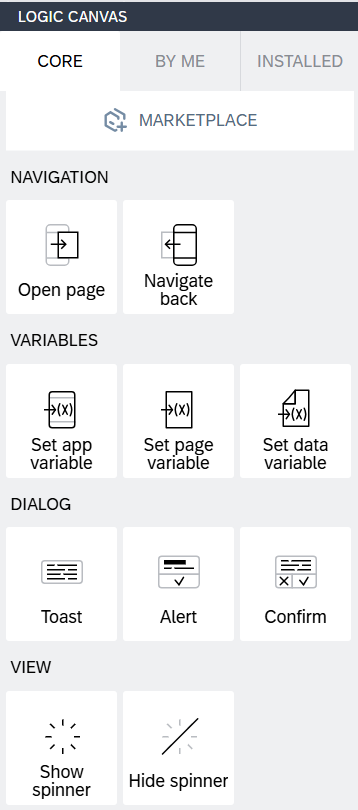
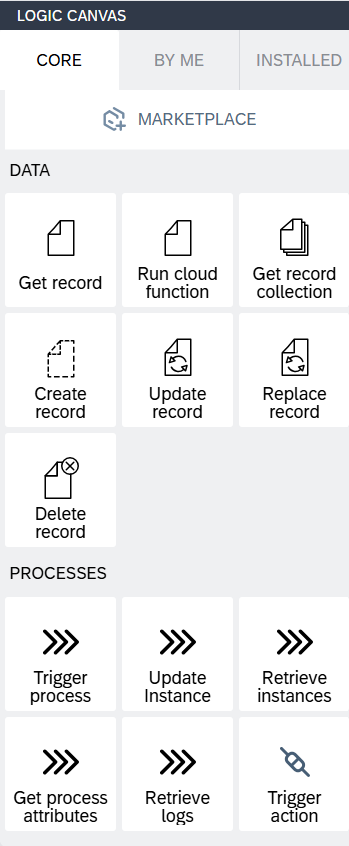
- With SAP Build Apps, teams can build the kind of applications they actually need—whether that’s for mobile, web, or desktop use. These apps can pull data from both SAP and non-SAP systems, so information stays connected instead of scattered. By opening up application development to more people across the business, organizations can react faster to changing needs, simplify everyday processes, and create experiences that are easier for users to work with.
SAP Build Process Automation
- SAP Build Process Automation offers a powerful combination of unified workflow management and intelligent Robotic Process Automation (RPA). It helps teams take everyday, manual processes and make them run on their own. Instead of relying on emails, spreadsheets, or handoffs between systems, workflows can be designed and managed in one place—without heavy coding.
- Both business and IT teams can build and monitor these workflows using simple, visual tools. This makes it easier to automate approvals, data updates, and repetitive tasks while still keeping visibility and control. Because it connects easily with SAP and non-SAP systems, information stays consistent, reporting improves, and compliance becomes easier to manage.
- The real value comes from speed and flexibility. Teams can roll out automation faster, adjust processes as needs change, and respond to customers without waiting on long development cycles.
SAP Build Work Zone
SAP Build Work Zone gives employees a single launchpad to start their day. Rather than moving back and forth between different tools, they can access the apps, tasks, and information they need in a single workspace. Whether the data comes from SAP systems or other applications, everything stays connected. The result is less distraction, smoother collaboration, and work that feels easier to manage.
Workspaces can be personalized based on roles and priorities. Teams can access self-service journeys, share updates, and use ready-made templates to publish content or trigger simple processes without waiting on IT.
At its core, SAP Build Work Zone supports:
- No-Code Site Building: Create pages and sites using a visual editor, with no technical skills required.
- Unified Access and Integration: Bring apps, notifications, tasks, and news into a single view by connecting SAP and non-SAP systems.
- Workspaces and Collaboration: Enable teams to work together through shared documents, discussions, task lists, and knowledge spaces.
- Content and Information Management: Organize and publish information so users can easily find what they need, when they need it.
- Application and Process Integration: Surface workflows directly in the workspace, allowing users to review, approve, and act without switching tools.
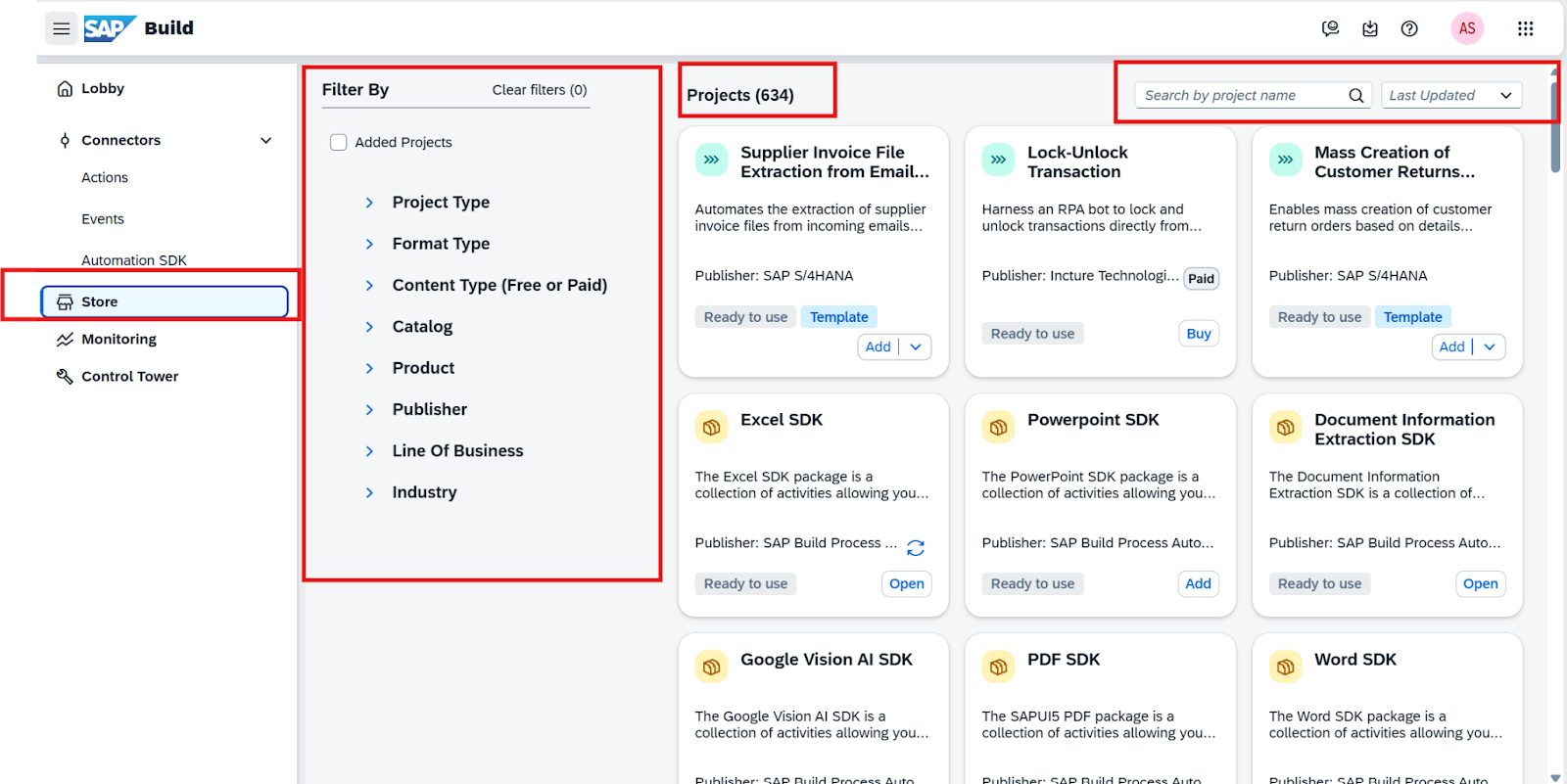
The SAP BUILD Lobby Store offers readily available, prebuilt processes and automations. These can be copied from the store and subsequently customized to meet specific business requirements.
Key Benefits
Key Benefits of SAP Build Apps
1. Accelerated and Accessible Development
- Visual, Low-Code Interface: Enables both business users and professional developers to quickly build applications using a drag-and-drop interface, reducing the need for extensive coding.
- Focus on Business Logic: Simplifies the development process by allowing users to concentrate on the desired business functionality rather than complex system language, leading to significantly faster development cycles.
2. Seamless SAP and Hybrid Integration
- Native SAP Connectivity: Provides out-of-the-box integration with core SAP systems, such as S/4HANA and SuccessFactors, which is a major advantage for existing SAP customers.
- Leverage SAP Data: This native connection simplifies building applications that directly access and utilize SAP data, eliminating the need for custom connectors often required by general-purpose platforms.
3. Enhanced Efficiency and Productivity
- Developer Focus: Automates routine tasks for professional developers, freeing them to concentrate on more complex, high-value projects.
- Significant ROI: Studies indicate that using SAP Build can result in setting up development tools and building applications approximately three times faster than a custom development stack, with an estimated 59% reduction in cost.
4. Strong Collaboration and Enterprise Security
- Team Collaboration: Includes built-in tools that facilitate seamless teamwork and joint development efforts.
- Enterprise-Grade Security: Leverages the SAP Business Technology Platform (BTP) for comprehensive security, governance, and compliance, ensuring applications are scalable and meet enterprise standards.
- Composable Architecture: Supports the creation of "composable" applications by enabling teams to securely share reusable components and integrate with professional development tools.
5. Rich, Pre-built Content
- Quick Start with Templates: Offers a library of pre-built templates, workflows, and connectors, allowing users to start development immediately.
- Cohesive App Development: This readily available content streamlines the process of building comprehensive, enterprise-grade applications efficiently.
Key Benefits of SAP BUILD Process Automation for Customers:
- Improved Efficiency: Automating repetitive tasks frees up employees to focus on strategic work, reduces errors, and speeds up operations.
- Workflow Management: Users can design, adapt, and organize process flows with drag-and-drop simplicity, ensuring consistency and accuracy across departments.
- Scalability and Agility: Organizations can scale automation to meet evolving business needs and adapt quickly to market changes.
- Integration: SAP Build Process Automation supports seamless integration with SAP and third-party systems, improving reporting accuracy and compliance.
- Digital Transformation: It accelerates digital transformation by making it easier to deploy automated solutions and respond to customer demands.
Key Benefits of SAP Build Work Zone:
Customers choose SAP Build Work Zone for the compelling benefits it delivers:
- Increases Productivity: Offers a single entry point for all applications and data, eliminating the need to navigate disparate systems and reducing time lost to context switching.
- Boosts Employee Engagement: Creates a sense of community and connection through interactive workspaces, personalized content, and effective knowledge sharing.
- Empowers Business Users: Allows non-technical users to independently build and manage their own business sites, content, and workspaces without requiring IT intervention.
- Simplifies IT Landscapes: Provides a central access point for both cloud and on-premise systems, resulting in a more seamless and cohesive digital experience.
- Improves User Experience: Delivers a modern, consumer-grade, personalized, and responsive experience across all devices, making it easier to find information and complete tasks.
Common Challenges Companies Face While Implementing SAP Build
Implementing SAP Build effectively can face several significant hurdles, broadly categorized into data-related, people and process, and technical/project management challenges. Overcoming these requires careful planning and specialized expertise.
1. Data-Related Challenges
- Data Migration and Quality: Moving data from existing systems often encounters issues like data inconsistencies, missing information, or generally poor quality, which can disrupt the new SAP Build system's functionality.
- Data Integration: Achieving a smooth and consistent flow of data between SAP Build and other enterprise applications (such as a CRM) is complex. Failures in this area can lead to isolated data silos and overall inefficiency.
2. People and Process Challenges
- Resistance to Change: Employees may be reluctant to adopt a new system that fundamentally alters their daily routines and responsibilities. This resistance can negatively impact user adoption rates and overall productivity.
- Lack of Clear Objectives: A common cause of project failure or budget overruns is the absence of a well-defined, shared understanding of the specific goals and functional requirements driving the SAP Build implementation.
- Inadequate Training: Insufficient or poor-quality training leaves end-users unprepared to utilize the new system effectively, resulting in knowledge gaps and suboptimal system usage.
3. Technical and Project Management Challenges
- Integration Complexity: Connecting SAP Build with existing legacy systems, databases, or various third-party applications presents a significant technical challenge, particularly when dealing with outdated infrastructure.
- Customization Overload: While some tailoring is essential, excessive or unnecessary customization introduces long-term complexity, making the system harder to maintain, update, and support.
- Underestimated Resources: Many projects struggle because the initial estimations for required time, budget, and specialized technical expertise were too low, leading to delays and resource shortfalls.
Why a Strategic Implementation Partner is Essential
- Low-code/no-code still requires enterprise-grade architecture and integration design
- A partner ensures:
- Correct setup of BTP, security roles, destinations, and connections
- Governance framework and CoE model for sustainable citizen development
- Templates, reusable components, and accelerators customized for the business
- Integration best practices for SAP S/4HANA, SuccessFactors, Ariba, etc.
- Change management and user enablement to maximize adoption
- Optimize system performance through proper configuration, integration, and customization.
- Training and continuous support to accelerate user adoption
Without the right expertise, organizations risk shadow IT, duplicated automations, poor integration, and security or compliance gaps.
With deep experience across SAP Build, SAP BTP, and core SAP applications, Jade Global helps organizations move from quick wins to scalable, well-governed solutions. The focus is on enabling teams to innovate confidently while keeping security, integration, and long-term sustainability in place.
If you are looking to scale SAP Build beyond experimentation and turn it into a practical, everyday capability, a clear strategy and the right partner can make all the difference. Connect with Jade Global to explore how SAP Build can deliver lasting business value.
FAQs
1. What is SAP Build used for?
SAP Build is used to build apps, automate workflows, and create digital workspaces using a SAP low-code development platform on SAP BTP.
2. What is SAP Build?
SAP Build is a unified low-code and no-code platform on SAP BTP that helps businesses accelerate app development, automation, and innovation.
3. What are the components of SAP Build?
SAP Build includes SAP Build Apps, SAP Build Process Automation, and SAP Build Work Zone, all designed to support end-to-end innovation on SAP BTP.
4. How can teams build apps faster on SAP?
Teams can build apps faster using SAP Build Apps, which uses visual development and prebuilt components to speed up delivery on SAP BTP.
5. Can SAP Build integrate with S/4HANA?
Yes. SAP Build integrates natively with SAP S/4HANA through SAP BTP services, enabling secure access to business data and processes.
6. Who should use SAP Build Apps?
SAP Build Apps is ideal for business users and developers who want to create enterprise apps quickly without heavy coding.
7. What is SAP Build Process Automation?
SAP Build Process Automation combines workflows and RPA to automate repetitive tasks and support SAP BTP automation across systems.
8. What challenges do companies face with SAP Build?
Common SAP Build implementation challenges include data integration, governance gaps, change adoption, and managing low-code at scale.
Subscribe to our Technology Insights





About the Author

How Can We Help You?
Related Posts